The whole page, faithfully, in one click — and nothing leaves your machine.
Drag to see the difference. This is a real page with a sticky header — the kind that breaks most capture extensions.
Free. No sign-up. Click, and it’s capturing.
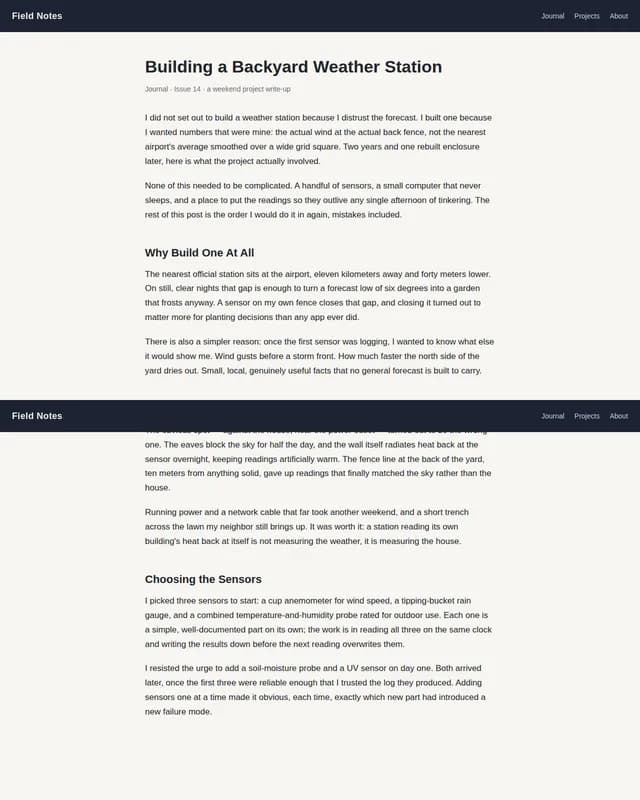 Other tools
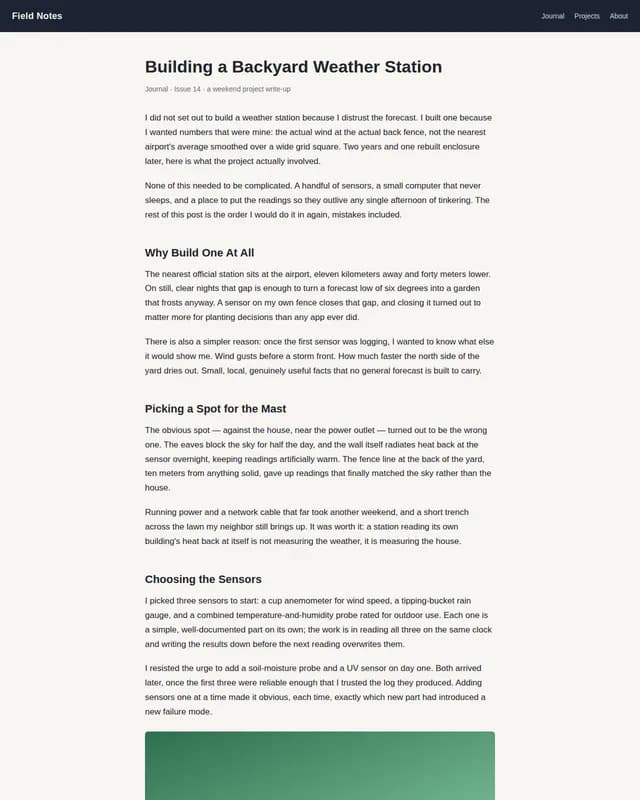 Naoya
NaoyaHeader rendered: 2× → 1× · Images ready before shutter: 0/2 → 2/2
Real screenshots of a demo article page we built for this comparison — not a customer’s site.
See it, in 25 seconds.
The same before/after comparison shown above, this time as a full walkthrough: install Naoya, click once, and the whole page — sticky header included — comes back as one image.
No account. No server. No cloud. Verifiable, not promised.
The capture runs entirely inside your browser. The packages that scroll, capture, stitch and export the page — packages/capture, packages/stitcher, packages/exporters — carry no networking primitive at all. That is not a claim to take on faith: it is checkable with a single grep for fetch, XMLHttpRequest and the like against those three directories, and it comes back empty.
activeTab- Grants temporary access to the single tab you explicitly invoked capture on. Naoya never captures a tab you did not directly act on, and never asks for the broader, always-on host permission.
scripting- MV3 removes persistent content scripts declared for every page load. This lets the service worker inject the measurement, scroll and fixed-chrome script into the active tab only when a capture actually starts.
downloads- Saves the finished export — PNG, JPEG or PDF — to your Downloads folder once a capture completes. No other use of the Downloads API is made.
storage- chrome.storage.local holds your preferences (default format, quality, filename template). It is never used to store captures — those live in IndexedDB, which needs no manifest permission.
offscreen- The stitch-and-encode step needs OffscreenCanvas, which does not exist inside a service worker. This lets Naoya create a short-lived offscreen document to host that step, on your device.
That is the entire manifest — 5 permissions, no more. None of them is the broad, always-on host permission that would let an extension read every site you visit; activeTab only ever covers the one tab you explicitly asked it to capture.
The test most extensions fail.
A sticky header that repeats on every scroll. Images that only load once they are on screen. Animations still mid-motion when the shutter fires. Pages so long they exceed the browser’s own canvas limit. We test against all four — live, on this page.
Sticky header
Fixed and sticky elements are hidden for the duration of the capture, then restored — the header never repeats down the page.
Lazy-loaded images
Every image is forced into view and given a chance to load before the shutter fires, so nothing ends up blank.
Page taller than the canvas limit
Past the browser's own maximum canvas size, the capture automatically becomes a multi-page PDF instead of crashing the tab.
Running animations & transitions
Every running animation is finished with the Web Animations API's Animation.finish() before the first tile is captured, committing it to its end frame. An infinite-loop animation has no end frame to jump to, so it is paused in place instead — either way, nothing is caught mid-motion or flickers between tiles.
Your captures stay with you.
Every page you capture is saved in your browser’s own IndexedDB — browsable, re-exportable, deletable whenever you want. No login, no syncing, no trail outside your own computer. Naoya keeps your last 20 captures; the moment a 21st arrives, the oldest one is evicted automatically to make room, the same way an inbox trims itself instead of growing forever.
If your browser’s own storage quota runs out before that limit does — a big screenshot on an already-full profile, say — Naoya does not fail silently. It tells you exactly that, and points you at History to free up room.
It exports to PDF too, when that’s what you need.
Terms of service as published today. The exact state of a client’s page on a given date. PNG for a quick review, PDF for archiving as evidence.
See PDF export →Frequently asked questions